

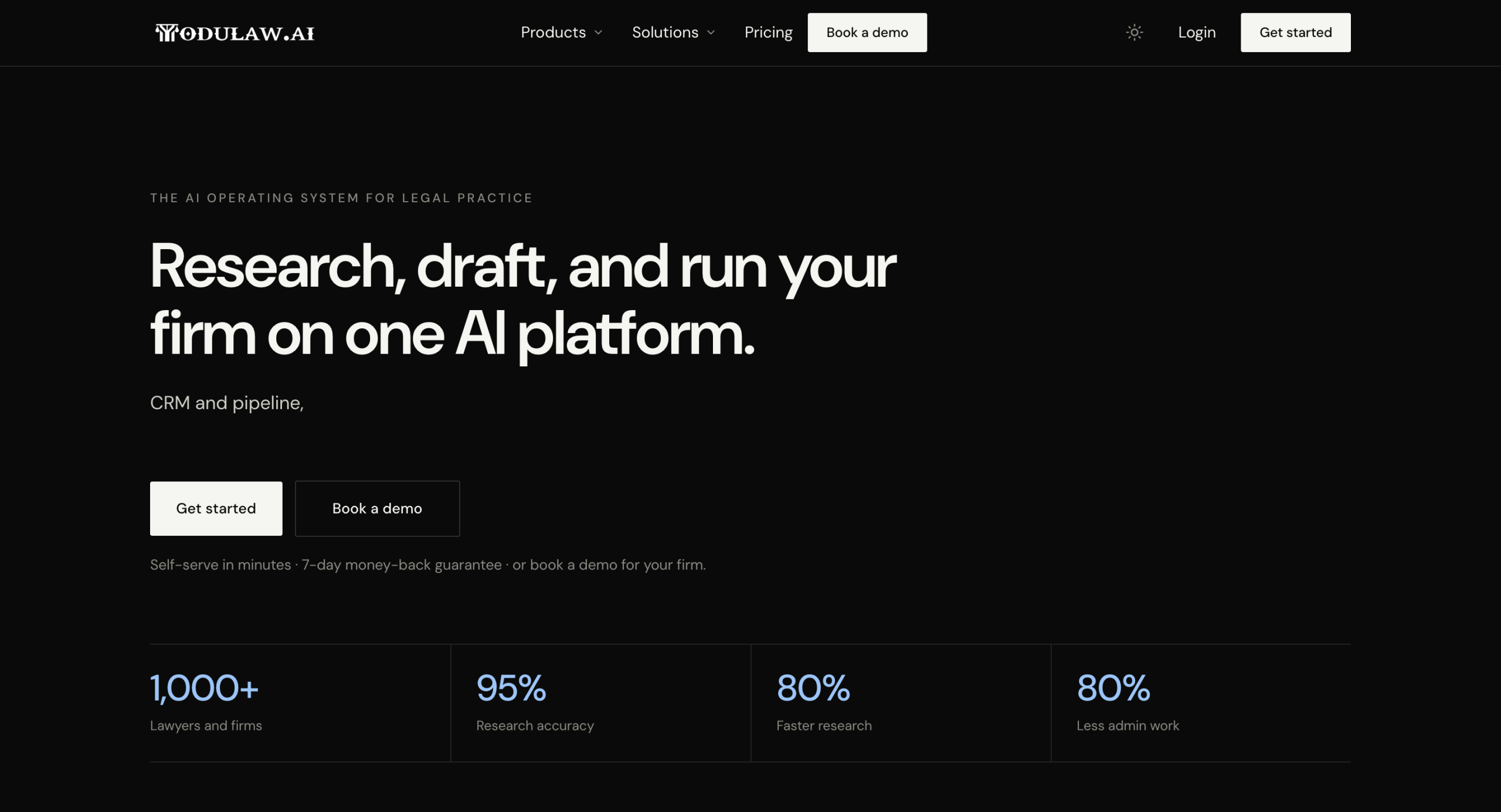
Welcome to Modulaw.ai! This guide will help you set up your account, navigate the platform, and begin using its AI-powered legal tools.
What is Modulaw.ai?
Modulaw.ai is an AI-powered legal platform designed to simplify legal workflows. Whether you’re reviewing contracts, generating legal documents, conducting legal research, or collaborating with your team, Modulaw.ai brings all these capabilities together in one workspace.
With Modulaw.ai, you can:
- Review legal documents with AI assistance
- Generate and edit contracts
- Analyze legal risks and clauses
- Organize documents in workspaces
- Collaborate with colleagues securely
- Access your work from a centralized dashboard
The Modus Operandi of Modulaw.ai falls within these 10 functions, which are:
- Case management
- Law research
- Automation
- AI agents/employees
- Team Chat (similar to Slack)
- Voice Calls (Zoom Replacement)
- Bookings (Calendly)
- Client CRM
- Integration
- Document management system
- Intake system
Before You Begin
To use Modulaw.ai, ensure you have:
- A supported web browser (Google Chrome, Microsoft Edge, Firefox, or Safari)
- A stable internet connection
- A registered Modulaw.ai account
Creating Your Account
- Visit the Modulaw.ai website and click Get Started.
- Sign up using your Gmail account, or enter your email address and click Continue.
- A verification code will be sent to your email. Enter the code and click Verify Code.
- Choose the pricing plan that best suits your needs. You can pay monthly or save more by selecting an annual subscription.
Available Plans
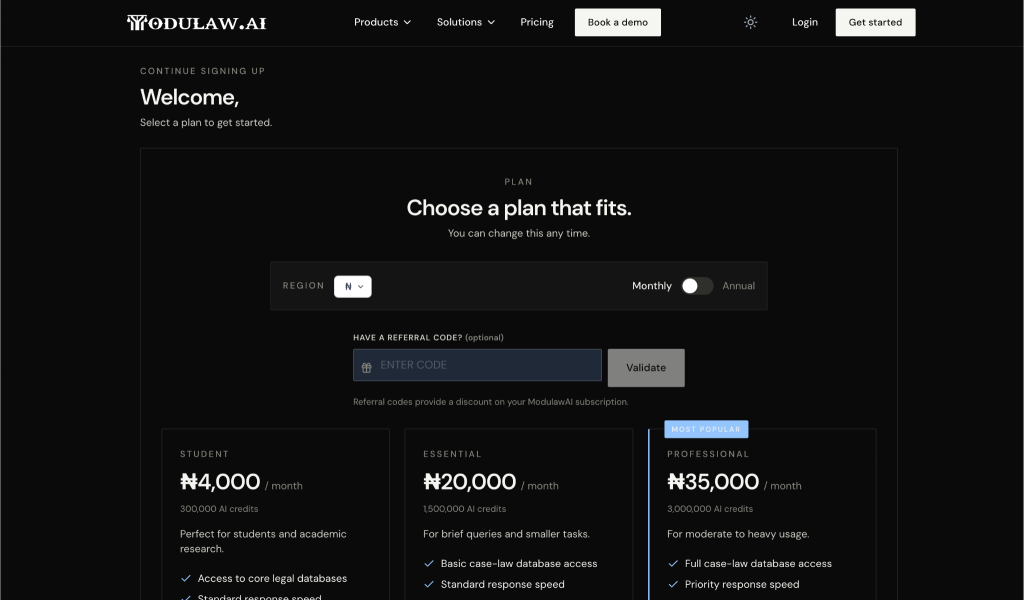
- Student — ₦4,000/month | 300,000 AI credits. Perfect for students and academic research. Basic case-law database access. Standard speed.
- Essential — ₦20,000/month | 1,500,000 AI credits. For brief queries and smaller tasks. Full case-law database access. Standard response speed.
- Professional — ₦35,000/month | 3,000,000 AI credits. For moderate to heavy usage. Full case-law database access. Priority response speed.
- Click Proceed to Payment and complete your purchase.
- After your payment is confirmed, set up your profile by providing the required information.
- Once your account has been created, you’ll be automatically redirected to your dashboard, where you can begin using Modulaw.ai.
Signing In
- Navigate to the Modulaw.ai login page.
- Enter your registered email address.
- Enter your password.
- Click Log In.
If you’ve forgotten your password, use the Forgot Password option to reset it.
Navigating the Modulaw AI Interface
After signing in, you will be directed to the Chat Interface, the primary workspace for interacting with Modulaw AI. From here, you can:
- Create and manage AI Employees
- Assign skills to enhance your Chat capabilities
- Create and organize projects
- Browse the Library for resources
The Case Manager Interface
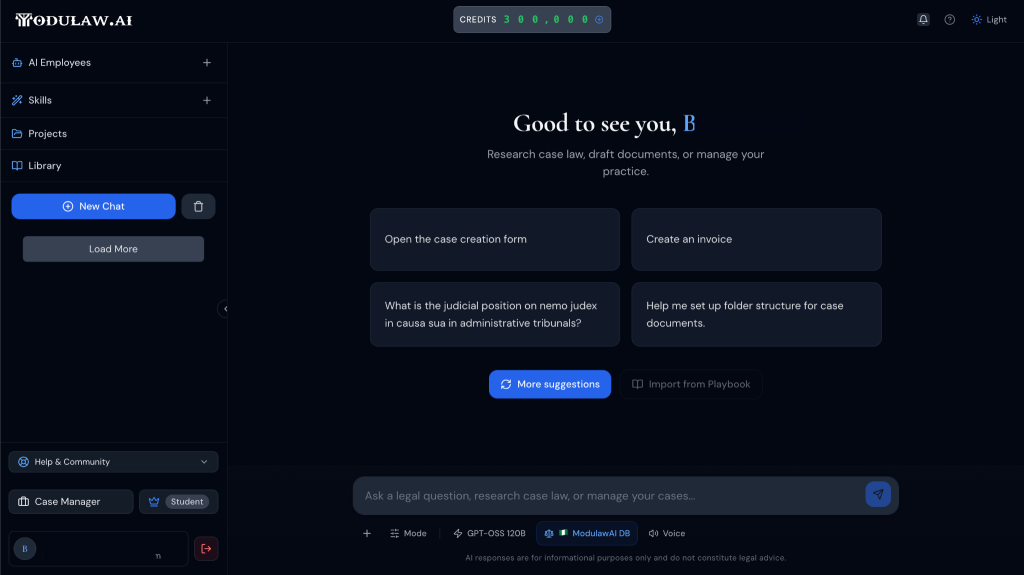
Located in the lower-left corner of the application is the Case Manager (this is not available on the student plan) — the central workspace for managing your firm’s operations, cases, and administrative activities.
The features available within the Case Manager depend on your organization’s subscription plan and your assigned permissions. Common sections include:
- Dashboard — Provides a high-level overview of recent activity, important updates, and key metrics.
- Cases — Organize and manage matters, clients, projects, assign tasks, set reminders etc.
- Documents — Access, upload, generate, and manage documents associated with your work.
- Financials — View financial information, monitor firm performance, and manage financial records.
- Requisitions — Create, submit, and track requisition requests and supporting documentation.
- Integrations — Connect Modulaw AI with third-party applications and services to streamline your workflows.
- Time Entries — Track case progress, activities of staff, accessing recently viewed or edited items.
- Settings — Configure your account, preferences, security settings, permissions, and other administrative options.
Depending on your organization’s configuration, you may also have access to additional modules and capabilities designed to support your specific workflows.
Tip: Spend a few minutes exploring both the Chat Interface and the Case Manager before continuing. Becoming familiar with the platform’s layout will help you locate features more quickly and work more efficiently throughout the application.
Using the AI Assistant
The AI Assistant allows you to ask questions about anything. It could be about documentation, for generating legal content, drafting processes etc.
Examples include:
- Summarize this agreement.
- Identify potential legal risks.
- Explain this clause in plain language.
- Draft a confidentiality clause.
- Compare two contract versions.
For the best results, ask clear and specific questions.
Getting Help
If you need assistance while using Modulaw.ai:
- Visit the Help Center.
- Browse the documentation library.
- Contact the support team through the support portal.
Next Steps
Now that you’re familiar with the basics, continue with these guides:
- Quick Start Guide
- Uploading Documents
- Working with the AI Assistant
- Managing Workspaces
- Collaborating with Your Team